 DawnDesk
Dashboard
Jump into workspaces, see connected project counts, review activity logs, and open creative tools.
Smarter work. Every day.
DawnDesk helps you stay organized, get more done, and focus on what matters most.
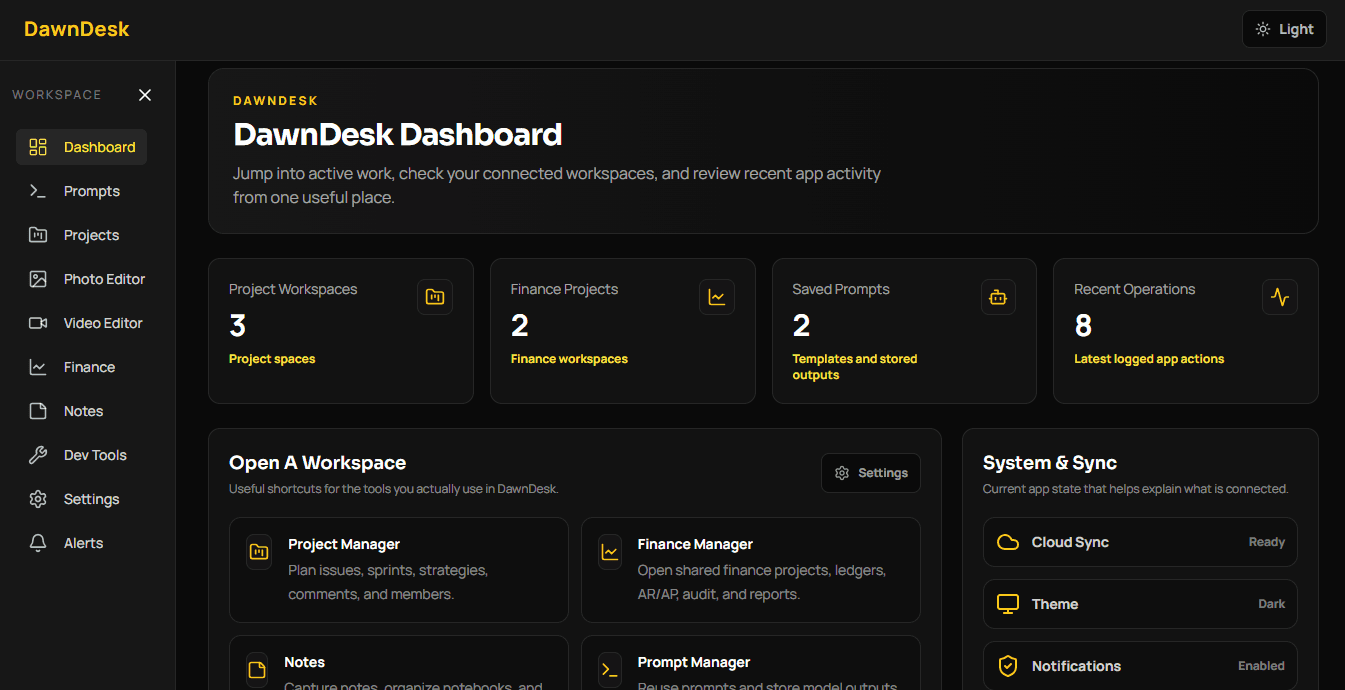
Powerful workspaces
DawnDesk is a suite of focused workspaces. Open a tool when you need it, then bring the output back into your daily workflow.
View all workspacesPlan shared projects with boards, backlog, sprints, reports, strategies, versions, and members.
Manage finance workspaces with ledgers, transactions, budgets, invoices, bills, and audit views.
Capture notes, notebooks, tags, tasks, templates, backlinks, daily notes, and graph views.
Save and reuse prompt templates, variables, and AI output workflows.
Edit photos and videos with DawnDesk's built-in creative workspaces.
Browse local utilities for code, files, encoding, Markdown export, metadata, network checks, and more.
Download DawnDesk
DawnDesk detects your system automatically, and you can still choose another platform or version manually.
Version 1.1.0 | amd64 | Published 2026-06-07
Powerful features
DawnDesk comes packed with tools to help you manage tasks, projects, and more.
Jump into workspaces, see connected project counts, review activity logs, and open creative tools.
Manage issues, backlogs, boards, sprints, reports, roadmaps, versions, strategies, comments, and members.
Run finance workspaces with accounts, transactions, budgets, invoices, AR/AP, assets, procurement, tax, and audit views.
Capture rich notes, notebooks, tags, tasks, daily notes, templates, backlinks, versions, and graph relationships.
Keep prompt templates, placeholders, AI provider settings, and usage counters close to the work.
Use local developer utilities for text, data, files, network checks, encoders, QR, Markdown, APIs, and DNS.
One app. Many tools.
DawnDesk brings all your essential tools together in one beautiful and easy-to-use interface.
Edit images with layers, drawing tools, transformations, filters, project saves, exports, and optional AI image generation.
Stack image layers and manage simple composites.
Crop, draw, retouch, transform, and filter images.
Save layered edits as DawnDesk photo projects.
Export finished image work from the editor.
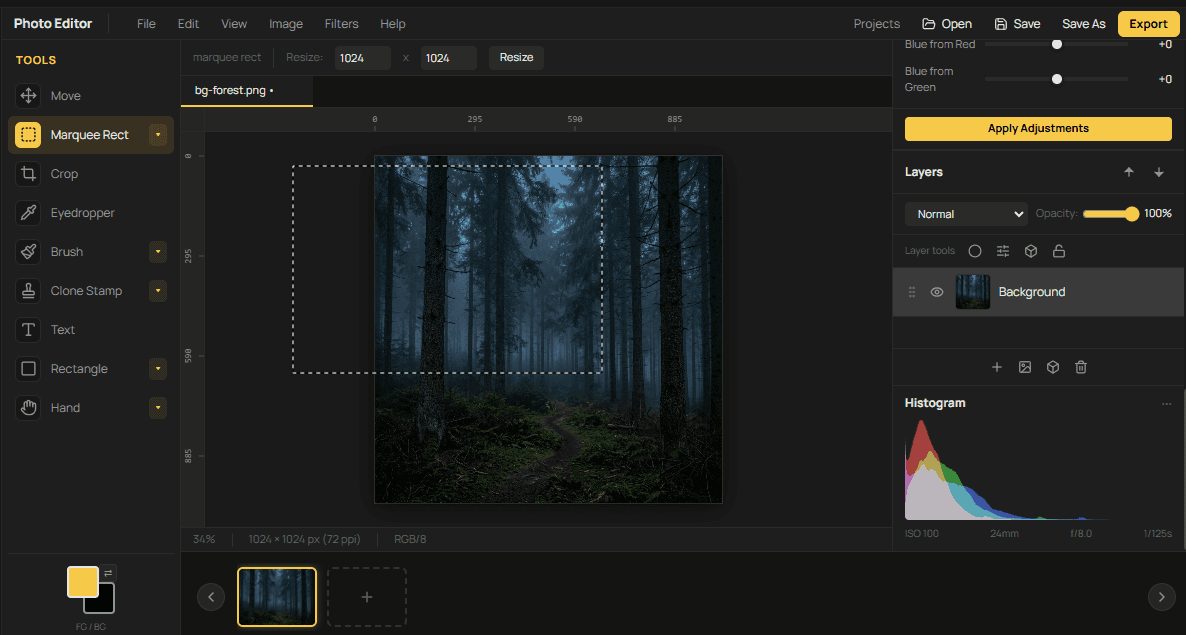
PHOTO EDITOR
Stack image layers and manage simple composites.
Crop, draw, retouch, transform, and filter images.
Save layered edits as DawnDesk photo projects.
Export finished image work from the editor.
Build video projects with a media bin, timeline tracks, preview canvas, transport controls, project saves, and FFmpeg exports.
Import media into a reusable project workspace.
Arrange video and audio on timeline tracks.
Preview project playback on the editor canvas.
Control playback while inspecting edits.
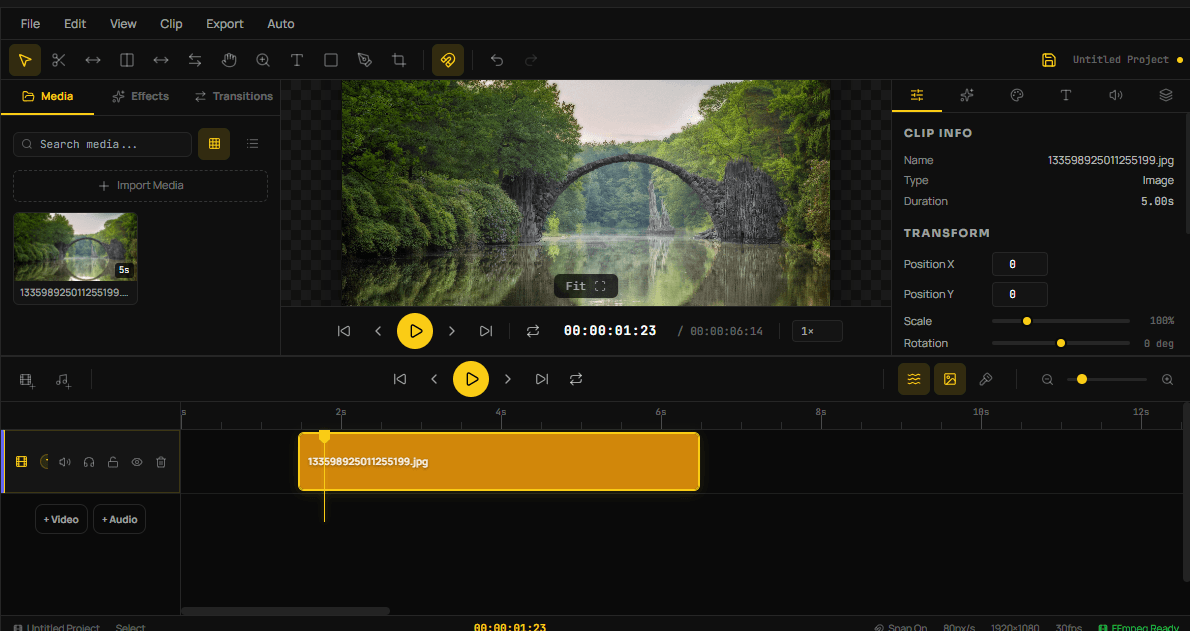
VIDEO EDITOR
Import media into a reusable project workspace.
Arrange video and audio on timeline tracks.
Preview project playback on the editor canvas.
Control playback while inspecting edits.
Save and reopen DawnDesk video projects.
Export videos through the bundled FFmpeg workflow.
Save, search, and reuse dependable AI prompt templates with variables and stored outputs.
Keep dependable instructions ready for repeated work.
Use placeholders like [Topic] and [Code].
Organize templates without clutter.
Copy the right prompt when work begins.
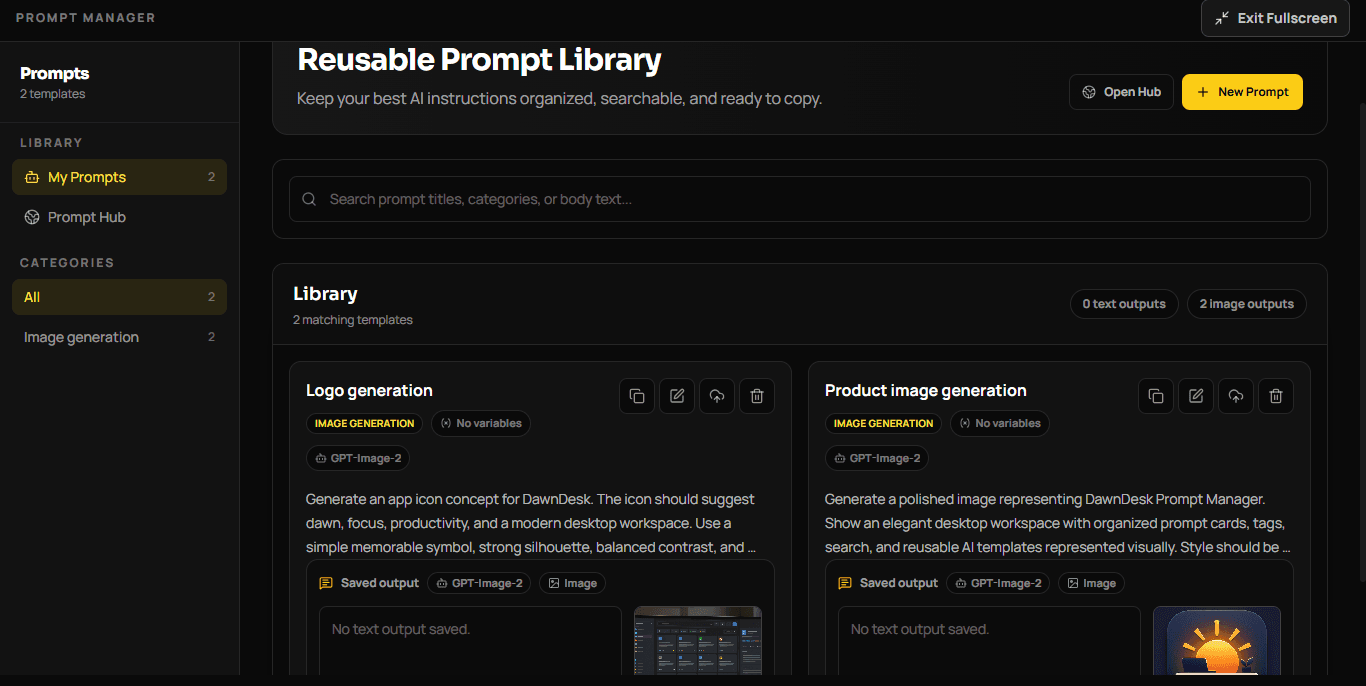
PROMPT MANAGER
Keep dependable instructions ready for repeated work.
Use placeholders like [Topic] and [Code].
Organize templates without clutter.
Copy the right prompt when work begins.
Connect prompt work to configured AI providers.
What's coming
We're constantly building new features to make DawnDesk even better.
Real-time collaboration and comments
Coming Soon
Deep insights and productivity reports
Coming Soon
Create repeatable workflows without extra setup
Coming Soon

Brighten your workflow. Stay tuned for more updates!
Growing update tree
Follow DawnDesk as each release grows from the main trunk, then branches into the exact features added for that update.
DawnDesk v0.9.5 introduced the first complete DawnDesk desktop experience: a local-first productivity workspace built with Tauri, React, and TypeScript, combining core workspace apps, native video tooling, and initial documentation.
Added the Dashboard, Project Manager, Finance Manager, Notes, Prompt Manager, Photo Editor, Video Editor, Workflow Builder, Developer Tools, and Settings as the first DawnDesk productivity suite.
Established the Tauri desktop app foundation with React and TypeScript, local-first behavior, modular sub-app structure, and native FFmpeg/FFprobe sidecars.
Added early documentation, security, contribution, and versioning files to support future releases.
DawnDesk v1.0.0 focused on stabilizing the previous release, fixing bugs, improving content quality, making Video Editor tools work more reliably, and refining sidebar design in Finance Manager and Photo Editor.
Fixed bugs from the previous version to make the app more stable for daily use.
Ensured Video Editor tools worked more consistently across the editor experience.
Improved content quality and refined sidebar design in Finance Manager and Photo Editor.
DawnDesk v1.0.1 improved the dashboard sidebar UI, added a complete screen update flow to reduce user-side errors, and updated the app logo.
Fixed and polished the dashboard sidebar UI.
Introduced a complete screen update experience to help prevent errors from the user side.
Updated the DawnDesk app logo.
Built for everyone
Whether you're a freelancer, part of a team, or managing a business, DawnDesk adapts to you.
Plan backlogs, boards, sprints, roadmaps, strategies, reports, comments, and members.
Track accounts, transactions, budgets, goals, invoices, bills, audits, and finance reports.
Capture notebooks, tags, tasks, templates, backlinks, daily notes, and graph views.
Save reusable prompts, placeholders, outputs, and AI workflow building blocks.
Use local utilities for regex, Markdown export, metadata, duplicates, encoders, APIs, DNS, and more.
Edit photos and videos with layered project saves, media import, timelines, and export tools.
Download DawnDesk